0 ratings








Item #:
88985437
Beamo Linux Mint Cinnamon 22.2 (Most Recent Version) 64-bit Bootable USB Flash Drive, Live USB for Installing and Repairing Linux Mint
Item #:
88985437
€ 26
Price Details
Excluding Shipping & Custom charges ( Shipping and custom charges will be calculated on checkout )
*All items will import from US
In stock
 Imported from USA store
QTY:
Only 7 items left in stock.
Order now and get it around Thursday, June 25
Secured transaction
Ubuy works hard to protect your security and privacy. Our advanced payment security system ensures confidentiality by encrypting your information during transmission using AES (Advanced Encryption Standards) and SSL (Secure Socket Layer) protocols. Your payment details are 100% secure as we do not share your payment details with third party sellers.
Our Top Logistics Partners


Easily start your computer from the USB flash drive and install Linux Mint directly onto your hard drive without any hassle.

Buy Now Pay Later

Fast
Shipping

Free
Return*

Secure Packaging

100% Original Products

PCI DSS Compliance

ISO 27001 Certified


Note: Step Down Voltage Transformer required for using electronics products of US store (110-120). Recommended power converters Buy Now.


What Stands Out
Live USB Capabilities
Easily run Linux Mint Cinnamon 22.1 without installation. Perfect for testing features and functionality on your hardware before full installation.
Bootable Convenience
Transform any USB flash drive into a bootable installation media. Simplifies the process of installing or repairing Linux Mint for users of all skill levels.
64-Bit Performance
Optimized for 64-bit systems, ensuring better performance and access to more memory, making it ideal for modern hardware setups.
Product Details
- 64-bit Bootable USB: Pre-loaded with Linux Mint Cinnamon 22.2, compatible with almost all modern computers for seamless installation. (M-series MacBooks and other computers with an ARM processor will require additional third-party software (most likely paid) such as Parallels for it to work, most Windows computers or other Linux distros will not require additional software (if they are x86 based) as well as Macs with an Intel chip)
- User-Friendly Cinnamon Desktop: Experience the intuitive and simple Cinnamon desktop environment, perfect for both new and experienced Linux users
- 16GB Storage Capacity: Ample space to install Linux Mint on your computer and keep the USB for any later uses, or you can erase it and use it for something else
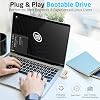
- Plug-and-Play Bootable Drive: Easily start your computer from the USB flash drive and install Linux Mint directly onto your hard drive without any hassle
- Reliable Performance: The High-quality Beamo USB flash drive ensures a fast and reliable operation, making your Linux Mint installation quick and efficient
| Memory Storage Capacity | 16 GB |
| Hardware Interface | USB 2.0 |
| Additional Features | High Quality Materials |
| Write Speed | 16 megabytes_per_second |
| Read Speed | 20 Megabytes Per Second |
| Connectivity Technology | USB |
| Flash Memory Type | USB |
| Compatible Devices | x86-based Windows computers, computers running other Linux distros, Macs with Intel chip |
| Color | Silver |
| Item Dimensions D x W x H | 3"D x 0.5"W x 0.25"H (7.6 x 1.3 x 0.6 cm) |
| Brand | Beamo |
| Model Name | Linux Mint Bootable USB |
| Manufacturer | Aiibe |
| Unit Count | 1.0 Count |
| Item Weight | 9 Grams |
| Special Feature | High Quality Materials |
Who Should Buy?

-
New Linux Users
Ideal for beginners looking to install or repair Linux Mint easily without complex procedures.
-
Tech Enthusiasts
Great for hobbyists who want a portable Linux environment for testing and experimentation.
-
System Administrators
Useful for professionals needing a quick recovery or installation tool in IT support situations.

-
Windows Users
Not suitable for those exclusively using Windows, as it’s designed for Linux environments.
-
Limited Hardware
Users with older hardware may experience performance issues when running Linux Mint from a USB.
-
Non-Technical Users
Individuals unfamiliar with installing or using operating systems might find it challenging and confusing.
Product Description
Have any Query? Chat with us
Customer Questions & Answers
-
Question:
What is Beamo Linux Mint Cinnamon 22.1 Bootable USB?
Answer: Beamo Linux Mint Cinnamon 22.1 Bootable USB is a pre-configured flash drive that contains the latest version of Linux Mint, allowing users to install or repair the operating system directly from the USB. This version features the Cinnamon desktop, known for its user-friendly interface and rich customization options. It is ideal for users transitioning from other operating systems or those who need a reliable tool for system recovery, providing a hassle-free setup process. -
Question:
How do I use the Beamo Linux Mint USB flash drive?
Answer: To use the Beamo Linux Mint USB flash drive, simply plug it into your computer's USB port and boot from the USB device. Most computers allow you to access the boot menu by pressing a specific key during startup, such as F12 or ESC. Once booted, you can either try Linux Mint in Live mode or proceed with the installation. This is particularly useful for users looking to test Linux Mint without modifying their current operating system. -
Question:
Can I run Beamo Linux Mint directly from the USB drive?
Answer: Yes, Beamo Linux Mint can be run directly from the USB drive in Live mode. This allows you to experience the full functionality of the operating system without installing it on your hard drive. It’s an excellent option for troubleshooting or using Linux Mint on multiple computers without permanent installation. Users often leverage this feature to access their files securely or test the operating system's compatibility with their hardware before making a full installation. -
Question:
Is Beamo Linux Mint suitable for beginners?
Answer: Absolutely! Beamo Linux Mint, especially the Cinnamon edition, is designed with user-friendliness in mind. Its intuitive interface resembles traditional desktop environments, making it easier for beginners transitioning from Windows or macOS. The inclusion of common applications and simplified settings helps new users navigate and utilize functions effectively. Many users start with the Live mode to familiarize themselves with the environment without committing to a full installation, providing a perfect learning experience. -
Question:
Can I use Beamo Linux Mint to recover a broken system?
Answer: Yes, Beamo Linux Mint is a practical tool for system recovery. If your primary operating system fails to boot, you can use the USB to access your files or perform repairs. The Live session provides access to disk management tools and system diagnostics. Users often utilize this capability to back up important data to another drive or to reinstall the OS, making it a reliable solution for unexpected system failures. -
Question:
What are the system requirements for Beamo Linux Mint 22.1?
Answer: Beamo Linux Mint 22.1 has relatively modest system requirements, making it accessible to a wide range of hardware. Typically, you’ll need a minimum of 2 GB of RAM, although 4 GB or more is recommended for optimal performance. A 64-bit processor is essential to take full advantage of the features. Users can revitalize older computers, enhancing performance and usability by installing Linux Mint, which is why it's popular among those with legacy hardware. -
Question:
What features does Linux Mint Cinnamon 22.1 offer?
Answer: Linux Mint Cinnamon 22.1 offers a plethora of features, including a modern user interface, multiple desktop environments, software management tools, and numerous pre-installed applications like LibreOffice and Firefox. Furthermore, advanced customization options let users tailor their desktop to their unique preferences, fostering a personalized computing experience. This diverse feature set appeals to both new users and seasoned Linux aficionados seeking flexibility and control. -
Question:
Is Beamo Linux Mint USB flash drive compatible with all computers?
Answer: Yes, the Beamo Linux Mint USB flash drive is compatible with any computer that supports booting from USB. This includes both Windows and Mac systems as well as various distributions of Linux. Users often use this compatibility to assess how Mint operates across different hardware configurations before deciding on permanent installations, ensuring they get the best performance tailored to their needs. -
Question:
Where can I buy Beamo Linux Mint Cinnamon 22.1 Bootable USB Flash Drive?
Answer: You can purchase Beamo Linux Mint Cinnamon 22.1 Bootable USB Flash Drive from Ubuy in Finland. Ubuy provides a seamless shopping experience, along with detailed product information that helps you make informed decisions. It's a reliable source for tech products, making it easier to obtain your Linux Mint USB and start enjoying the benefits of this operating system. -
Question:
What types of users benefit from Beamo Linux Mint?
Answer: Beamo Linux Mint appeals to various user groups including casual users, developers, students, and system administrators. Casual users enjoy its simplicity and ease of use while developers appreciate the robust environment for software development. Students can utilize Linux Mint for educational purposes, and system administrators often leverage the Live USB for troubleshooting and maintenance tasks across multiple systems, making it an invaluable tool in diverse scenarios.
Beamo USB Flash Drives Editorial Review


** Beamo Linux Mint Cinnamon 22 Bootable USB Flash Drive** The Beamo Linux Mint Cinnamon 22 Bootable USB Flash Drive has garnered a range of feedback from customers, highlighting both the positives of the product as well as some notable downsides. Users have praised the installation process for being straightforward and effective, with many noting that it worked seamlessly when setting up devices like Bluetooth and connecting to networks. For individuals looking to breathe new life into aging laptops, this USB drive has proven to be an invaluable tool, allowing them to transition from older operating systems to a more modern Linux environment effortlessly. Many users have expressed satisfaction with the performance of Linux Mint, citing its speed advantages over Windows. They found the ability to perform installations without extensive input refreshing, allowing those with basic technical skills to navigate the process with ease. Moreover, it has been highlighted as a cost-effective solution for data recovery from obsolete systems, with one customer sharing a personal success story of retrieving important files from a backup drive with the help of this product. However, the product is not without its flaws. Customer feedback has also identified significant issues with product Consistency, particularly related to receiving non-functional or empty USB drives. This inConsistency raises concerns about quality control and the reliability of the product. While some users received operational drives, others faced the disappointment of receiving faulty ones, rendering the effort to utilize the service futile. Additionally, there were mentions of a lack of support from the company, which may discourage less experienced users who could benefit from a bit of guidance during the installation process. In summary, while the Beamo Linux Mint Cinnamon Bootable USB Flash Drive can deliver a valuable experience to users seeking to upgrade and maintain older machines, the inConsistency in product quality and support leaves room for improvement. **
Customer Reviews & Ratings
153 customers ratings
-
5 Star
76%
-
4 Star
7%
-
3 Star
6%
-
2 Star
2%
-
1 Star
9%
Review this product
Share your thoughts with other customers
Pros
- Easy installation and seamless operation
- Quick setup for devices and network connections
- Enhanced performance with a modern Linux environment
- Cost-effective solution for reviving older laptops
- Successful data recovery capabilities
Cons
- InConsistent quality control leading to some non-functional drives
Product Price History
Important information
- Limitations : For products shipped internationally, please note that any manufacturer warranty may not be valid; manufacturer service options may not be available; product manuals, instructions, and safety warnings may not be in destination country languages; the products (and accompanying materials) may not be designed in accordance with destination country standards, specifications, and labeling requirements; and the products may not conform to destination country voltage and other electrical standards (requiring use of an adapter or converter if appropriate). The recipient is responsible for assuring that the product can be lawfully imported to the destination country. When ordering from Ubuy or its affiliates, the recipient is the importer of record and must comply with all laws and regulations of the destination country.
- Not all the products listed on Ubuy are for sale, as Ubuy is a global search engine. Products are subject to export/trade regulations.
€ 26
Order now and get it around Thursday, June 25
This item is not restrict in my country.(Please click on above link if this item is not restrict in your country, So our team will review and allow.)
QTY:
Only 7 items left in stock.
Secured transaction
Ubuy works hard to protect your security and privacy. Our advanced payment security system ensures confidentiality by encrypting your information during transmission using AES (Advanced Encryption Standards) and SSL (Secure Socket Layer) protocols. Your payment details are 100% secure as we do not share your payment details with third party sellers.
Our Top Logistics Partners
Fastest cross-border delivery
Features & Benefits
- Pre-loaded with the latest Linux Mint Cinnamon 22.
- Compatible with almost all modern computers, ensuring easy installation.
- User-friendly environment designed for all skill levels.
- 16GB storage capacity for installations and future uses.
- Plug-and-play functionality for a hassle-free experience.
- Reliable performance with a high-quality Beamo USB flash drive.