Shop Computers & Tablets Online from Ubuy Finland
What do you need to complete your next big idea or creative project? It starts with the right computer or tablet, which is more than just a device. It is like a powerful tool which is designed to fit your unique lifestyle. The available collection of computers and tablets offers a device for every need. Feel the seamless play on a powerful gaming laptop with high performance. Professional users can pick a reliable business desktop computer for their office. In the busy travel life, a sleek Ultrabook laptop, a simple Chromebook laptop, or a versatile touchscreen tablet would bring ideas to life anywhere.
We offer a wide range of computers & tablets from the leading global tech brands that are pioneers in the industry. Browse the complete range of products and import them straight to your doorstep with a few clicks.
Mind-Blowing Deals and Offers on Computers & Tablets Online at Ubuy
Looking for an ultimate computing device to carry on your professional and home-based tasks efficiently? Discover incredible deals and exclusive discounts on a wide variety of computers and tablets. Here are the popular products that you purchase online.
Laptops
When gaming is your preference, a gaming laptop is a true powerhouse. It is built with high-end processors and dedicated graphics cards to handle demanding games and creative software.
If you are a working professional who is always on the go, business laptops are a must-have choice. They provide durability, security, and a longer battery life than regular laptops. A Chromebook from brands like ASUS would be a great and easy-to-use option if you have basic needs like a cloud-based device for web browsing and emails.
Tablets
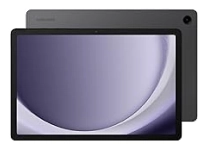
A touchscreen tablet is the ultimate solution for enjoying portability and convenience. Devices like the iPad tablets are perfect for media entertainment, web browsing, and drawing purposes. These tablets can serve as a multi-purpose gadget in various professional fields
When you work in tough environments, a rugged tablet from brands like Lenovo is built with a reinforced design to survive high-impact drops and extreme falls. They are a fantastic combination of a smartphone's portability with the larger screen size of a computer.
Computers
When you are a professional who needs to work in a dedicated space, desktop computers are the answer. The business desktop computers are the workhorse of any office space and offer easy upgrade options.
Gamers always want high-performance desktop computers, and a Windows gaming PC is a dream for them. These desktops deliver incredible graphics and blazing speeds to provide smooth gameplay for popular titles.
See what a user has shared on Reddit for Mac computers.
“I try to steer older folks towards a used mac because they love adding viruses and malware to windows machines. Plus they are generally more user friendly and simpler to operate with a cleaner GUI and more privacy (user tracking, data collection and selling, etc). “
Source: r/computers (Reddit)
They are available in different designs and form factors. Have a look at the prominent ones.
Tower Computers
These are traditional desktop PCs with a large case, and allow you to upgrade them with powerful components whenever needed.
Mini Computers
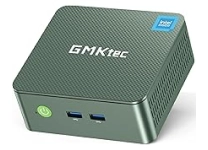
As their name suggests, they are compact desktop PCs that are small enough to fit in your hand. These mini computers work best as a home media gadget to complete daily tasks.
All-in-One Computers
The all-in-one computers are a space-saving solution and include a CPU directly in the monitor. Their sleek design offers a clean and clutter-free organisation in your workspace.
Desktop Barebones
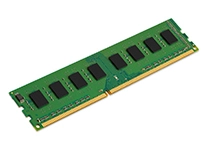
A barebone desktop is a semi-assembled computer kit typically including a case, power supply and motherboard. Configure it according to your needs by adding a suitable CPU, RAM and storage.
Computer Data Storage
When you have a computer, and there is a need to extend its storage capacity, what will you do? A wide range of computer storage devices helps you to do it easily. Have a look at the major ones.
External Hard Drives
External hard drives are portable drives that let you store huge amounts of data to back up videos, photos and other formats.
External SSD
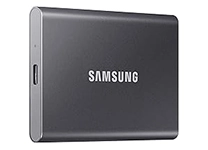
These devices are similar to hard drives but have a more durable design. Run applications and your favourite games with a quick data transfer rate. See a Reddit user sharing its review about these fantastic SSDs.
I work in IT and I travel extensively. I use Samsung T7 Shields. They are fast, large enough capacity for what I do (1TB, 2TB, 4TB), come in a rubberized case which makes them pretty rugged (I've dropped one down a full flight of stairs), come in different colors (easy to color code uses), use USB 3.2 Gen 2 on the drive side and come with USB-A amd USB-C cables, and are frequently on sale.
Source: r/BuyItForLife (Reddit)
External Zip Drives
External zip drives come from the old school days and are most often replaced by modern flash drives. However, some people from the early 2000s still use it for transferring small chunks of data.
USB Flash Drives
These are the most preferred devices for data storage with portability. Put them in your pocket and carry huge amounts of data, even in gigabytes, wherever you travel.
Internal Hard Disks
Internal hard disks are the top choice to scale up the existing storage capacity of your computer. Select a needed high-capacity storage hard disk, integrate it, and you are ready to go.
Internal SSD
Why use a traditional hard disk when you can enjoy quick access and transfer speeds with an internal SSD? Equip your PC with these computer components to make it faster than before.
Select the Ideal Computers & Tablets with Additional Components for Seamless Computing
Still confused about picking the right one for your needs? We have categorised a huge selection of computers, tablets, storage and additional components from the leading global brands based on their types and applications. Browse the curated selection and find suitable products for your needs.
| Type | Application (Best For) | Brands |
| Laptops / Notebooks | Work, study, travel, business meetings, creative tasks like design/editing, and everyday computing | Apple, Dell, Acer, Microsoft |
| Tablets / 2-in-1s | Portable entertainment, note-taking, reading, sketching, presentations, field work, light productivity | Apple, HP, ASUS, Lenovo, Samsung |
| Desktops — All-in-One | Office setups, home offices, design workstations, space-saving desktop computing | Apple, Dell, HP, Acer, MSI |
| Desktops — Mini / Compact / Small-Form / Tower / Barebones | High-performance tasks, gaming, offices with limited space, server or developer use | HP, ASUS, Lenovo, Intel NUC, MSI |
| Computer Data Storage (Internal SSD / Internal HDD) | Speed up system performance, data management, long-term storage upgrades, and large-file workflows | Apple, Dell, HP, Samsung, Western Digital |
| External Storage (External Hard Drives, External SSD, USB Flash Drives) | Backup, file transfer, expanding storage on the go, and moving large media files | ASUS, Lenovo, Seagate, SanDisk |
Also, check out the fantastic range of computer accessories, devices and components to optimise them according to your needs.



















€ 258
Stay productive and entertained with the perfect Chromebook laptop for all day performance at work, home, or school
Read More.Cindy Brown
This is so far the best priced chrome book that I have purchased. I'm not an expert on these things and as a matter of fact as much as I love electronic gadgets we clash like oil and water. So bearing that in mind and strictly in my opinion I give it 5 stars because it is "simply" easy to use, yet it has the appearance of a high dollar device, if your into that, it fits in well anywhere you go. Thanks to hp for putting together a wonderful gadget!